This shows 'set to tds' 800 lower right. I wonder if they firmwared that space into the formatting on the controller. I honestly never look at them, just the app
This shows 'set to tds' 800 lower right. I wonder if they firmwared that space into the formatting on the controller. I honestly never look at them, just the app
Got it all setup and it doesn't work.
Can not get it to show on controller and tried multiple channels with reboot of controller. The corresponding channel shows as not connected.
Contacting ACI now.
Got it all setup and it doesn't work.
Can not get it to show on controller and tried multiple channels with reboot of controller. The corresponding channel shows as not connected.
Contacting ACI now.
I think it has to be in one of the 2 available sensor slots, my moisture sensor wouldn't work in the 8 device slots.
Make sure its pushed in all the way, the o-ring on the cable might keep it from seating properly.
The temp/RH probe takes one slot, so you can only add one additional sensor.
Thank you, I was wondering about that while trying to fall asleep last night. Will have to evaluate setup. I use both sensor ports in order to place a sensor outside the room and the other just under the canopy. This works great for ventilation fans as they only activate if outside conditions are helpful to reach the temp/RH targets.
Thank you, I was wondering about that while trying to fall asleep last night. Will have to evaluate setup. I use both sensor ports in order to place a sensor outside the room and the other just under the canopy. This works great for ventilation fans as they only activate if outside conditions are helpful to reach the temp/RH targets.
Yes it works when plugged in correctly! Imagine that. Not ideal with temperature sensors that can’t be set as inside or outside. Internal sensor is labeled “outside” even though the controller is inside the grow space. So unable to use the true outside temp to control devices.
Yes it works when plugged in correctly! Imagine that. Not ideal with temperature sensors that can’t be set as inside or outside. Internal sensor is labeled “outside” even though the controller is inside the grow space. So unable to use the true outside temp to control devices. View attachment 19877View attachment 19878View attachment 19879
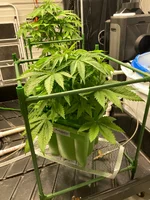
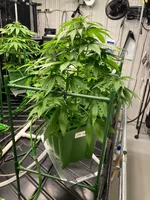
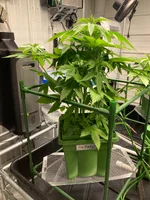
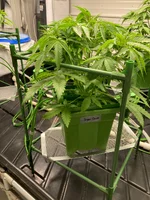
Flipped last Saturday, so day 3 of flower. Let the stretch begin! Tallest is Chimera followed closely by Cap Junky, bringing up third and is OG Kush and Sugar Cane, Meltdown is the runt but that’s Ok since it brings the lime fire! Who will win the stretch race?